

For a while, Sonos was basically synonymous with high-quality home sound, and while hardware was a big part of that, its reputation was built just as much around software as it was the actual speakers. That’s exactly why when Sonos fumbled an app update in 2024, it was kind of a big deal.
The Sonos app has been a sore subject recently and was the impetus for a big shakeup at the company two years ago. I won’t get into it all here, but there were problems, and lots of Sonos loyalists who had built their home sound around the company’s speakers were not happy about said problems—especially the ones that bricked people’s speaker systems.
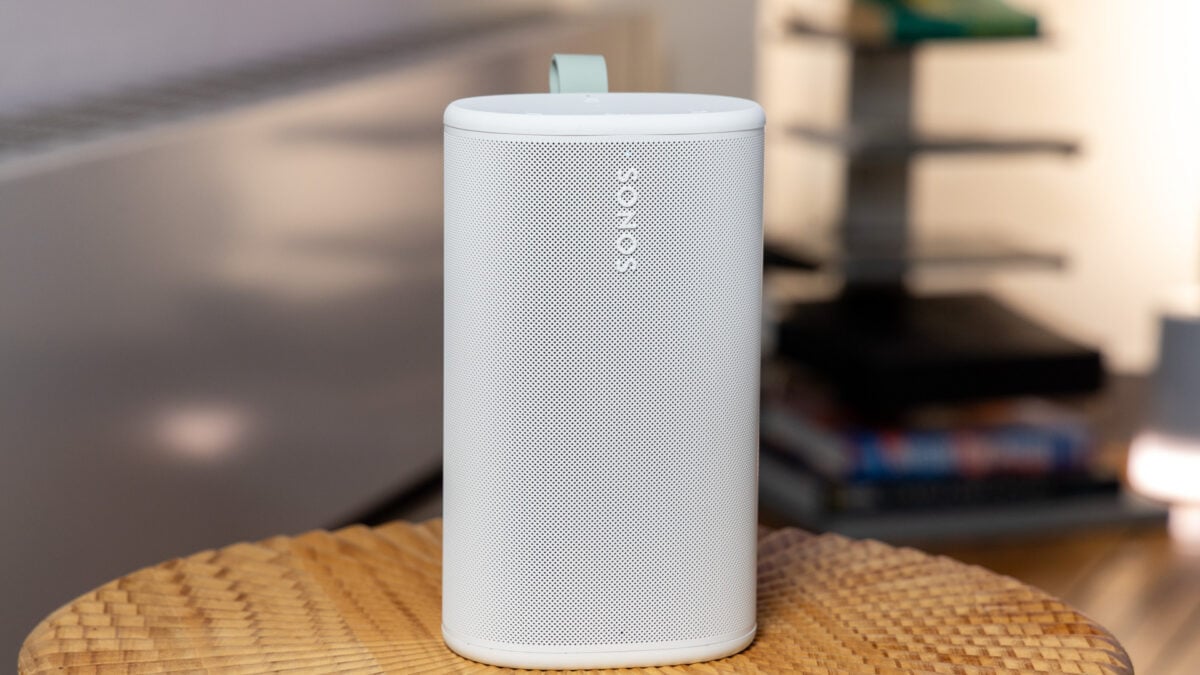
I’m bringing all of that up not to beat a dead horse, but because Sonos, which has been relatively quiet on the hardware front since then, is a horse that’s very much alive, and recently, it’s brought a new pony into this world: the $299 Sonos Play, a portable Bluetooth speaker that’s designed to do a little bit of everything.
For Sonos fans, questions about the Play are likely aplenty, but the one at the top of everyone’s mind will likely be, can the Play put Sonos back in the race?
Sonos Play
The Sonos Play has good sound and strikes a great balance between portability and at-home listening.
- Good sound that rivals Bose
- Easy to link speakers together
- Love the look
- Solid battery life
- Could be easier to switch speaker modes
- Still a very expensive way to build a home audio system
- Gets mighty dirty
Hi-fi over Wi-Fi
For anyone who might not know, Sonos speakers have long been focused on Wi-Fi as opposed to Bluetooth, and the Play is no different. It’s a portable Bluetooth speaker, meaning you can whip out your phone and connect to it like you would any other speaker, but the true capabilities are unlocked once it’s on your home network.
Once everything is integrated into the Sonos app, the Play is meant to be just one point of entry into a Sonos-branded setup. You can start with one speaker and then tack on another to unlock stereo sound, or just use multiple speakers to blanket different parts of your home—or at least that’s the idea. This isn’t a new concept for Sonos, but even if it’s an old trick, the Play, in my experience, feels like a fresh and solid way to do that.
Sonos sent me two speakers to test so I could get the full effect, and the results were more than satisfactory. The sound on the Play, though it’s relatively small, is on par with competitors like the Bose SoundLink Plus, which is also a $299 speaker, though Bose’s offering is Bluetooth only. Like the SoundLink Plus, the Play has a big soundstage for its size thanks to its three amps, two tweeters, and woofer. Bose’s SoundLink Plus sounds a little bassier out of the box to me, but I actually prefer the default tuning of the Play, which has plenty of bass, but maybe a little less pronounced.
Listening to songs like Outkast’s “SpottieOttieDopaliscious,” I felt like I was getting a good slice of everything, including the iconic horn line and enough low-end to accentuate the groove. Even at higher volumes (I cranked it to about 75%), the playback felt distortion-free. On rock songs like Wednesday’s “Townies,” the Sonos Play was just as impressive, clearly relaying distorted guitars and folk vocals even at higher volumes.
Sound gets even more nuanced when you add another Play. I tested two of them linked together for stereo sound, and I see why—if you had enough money—you’d want to go that route. You have two ears, after all, so stereo sound is just better. Since I was also sent Sonos’ new Era 100 SL speaker for testing, I decided to toss that into the mix, filling my kitchen/living area up with sound from three speakers. That’s a nearly $800 speaker setup, to be clear, but the good news is it sounds fantastic.
There are two ways to link speakers together—via Wi-Fi or via Bluetooth, the latter of which is slightly improved now. To link via Wi-Fi, all you have to do is go to the Sonos app after you’ve added your speakers, go to “Settings,” then “System,” and then choose “Set up stereo pair.” From there, you’ll be prompted to follow a few easy steps.
For Bluetooth linking, you hold the play/pause button on the second speaker, and it should link right up automatically. Previously, you had to link the speakers via Wi-Fi first before being able to play them as a pair, but now you can do it on the fly. This still isn’t going to give you the stereo ability like it would while linking the speakers at home, but it’ll play music out of both at the same time. From a latency standpoint, the Bluetooth linkage sounds just as good as the Wi-Fi to me, though you’ll get better sound playing over Wi-Fi at home because Bluetooth still compresses audio.
Speaking of better sound, it’s worth noting that the Play does not support Dolby Atmos since it lacks the requisite upfiring speaker—you’ll have to buy the Sonos Era 300 for that.
Either way, if you’re trying to bring a bigger sound on the go, adding easier Bluetooth coupling is a nice touch—you can link up to four together if you’re a huge Sonos head and have that many speakers lying around. Not everyone is going to spend $600 just to have a bigger sound when they’re on a picnic or whatever, but who am I to tell you what to spend money on?
I do wish that after speakers are linked via Wi-Fi, there was an easier way to transition them back into playing independently, however. The whole idea of the Play is that it should be picked up and taken with you on-the-go, but if you’re tethered to a stereo pair, the easiest way I found to revert to playing through only one speaker is to just turn the second one off. That’s fine, but what if you want that speaker to keep playing for someone else in your home? Or what if you just don’t feel like turning your second speaker on/off? You could go into the app and unlink the pair, but that, unfortunately, also erases any Trueplay tuning, which is a Sonos feature that tunes the speaker to the room you’re in.
It’s a small thing, but also a subtle software tweak that would help make the Play feel more like the hybrid at-home and on-the-go speaker it’s meant to be.
The app of it all
As I mentioned, Sonos is as much about the software as it is the hardware, and from a sound perspective, the Play is an instant competitor to Bose and its SoundLink Plus. In order to maximize Sonos potential, you’ll need to run everything through the Sonos app, though, which was—for me at least—easy enough.
The setup process involves some button pushing and pairing to your Wi-Fi that takes a few minutes at most, but once you’re linked to your home network, setting your speakers up the way you want them is straightforward. You can group your Play into different rooms or together and play them as a stereo pair or separately if you have them in different areas of your home. I linked up two Play speakers (a stereo pair) and an Era 100 SL with ease and played them all at the same time. If you wanted, you could also create “groups” and “rooms” for speakers so you can play different speakers in different rooms. This type of grouping and pairing is pretty core to the Sonos experience.
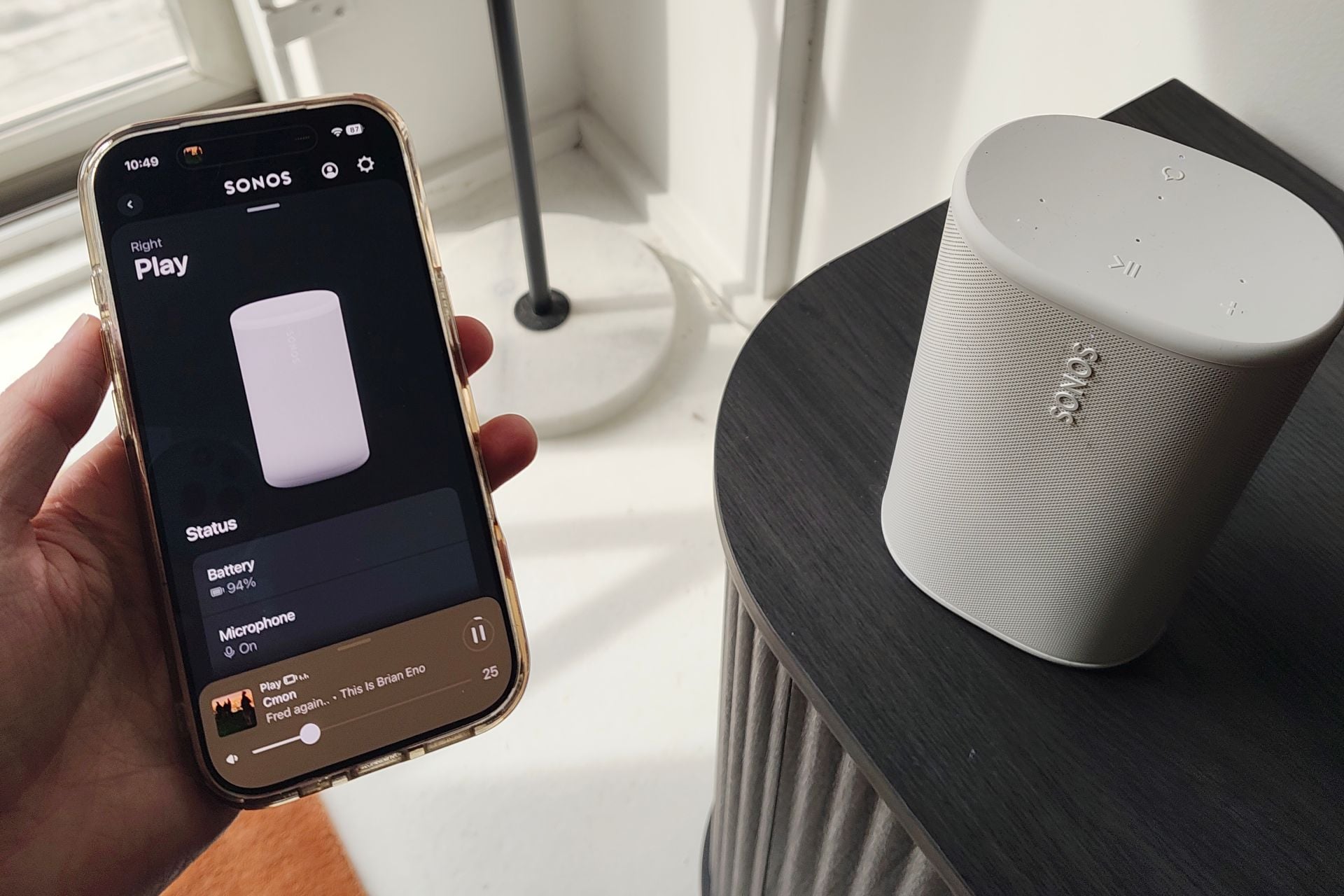
To me, everything felt pretty intuitive, and it gets even more functional when you link your preferred streaming service, which in my case is Spotify. Once you’ve connected that to the Sonos app, you can start using a voice assistant to launch and control music. (Note: make sure your voice assistant is activated in the app by going to “General Settings,” then “Select Voice Assistants,” then choose “Add Voice Assistant” and then select “Sonos Voice Control.”)
Again, this is another thing that separates the Play from other wireless speakers, and it makes using Sonos just a little bit more comprehensive. In my experience, the Sonos Voice Assistant worked well with launching music and skipping songs—the basic stuff you’re likely going to want to use it for. If you really wanted to, though, you could connect Alexa or Google Assistant (now Gemini for Home), which makes sense if you have smart speakers made by Google or Amazon. I personally liked sticking with the “Hey Sonos” command because summoning my Google speaker has been a nightmare as of late.
Another feature that you’ll most likely want to avail yourself of is Trueplay, which uses the Play’s microphone to assess the acoustics in your room and then tune the speaker EQ accordingly. I activated Trueplay on all of the Play speakers I tested for this review and didn’t hear a huge difference, but your results may vary depending on where you have yours stationed. I’m a big fan of personalized EQ like Trueplay, whether it’s speakers or wireless earbuds, so even if I didn’t notice a huge difference, I’m happy it’s there.
If there’s one thing that I find a little bit annoying about funneling everything through the Sonos app, it’s that it makes volume control on an iPhone a little irksome—you’ll have to control it through your music service or the Sonos app instead of your iPhone’s lock screen or volume buttons. You could skirt that by using AirPlay to connect to your Sonos speakers instead, but that does downsample the audio, unlike streaming over Wi-Fi, which makes me (an annoying person) a little annoyed. It’s not a huge deal, but these are just the quirks you run into when you’re trying to create an ecosystem inside an ecosystem—that is, a Sonos home inside iOS.
Overall, what I’m struck by is that Sonos includes enough features in its app to make you feel like you’re getting value without bloating things, which is a difficult line to toe—especially these days. I know the words “app” and “Sonos” together in a sentence is a recipe for controversy, but to me, the UX feels like it’s exactly where it needs to be.
Pretty playful
As much as software plays a big role in the Sonos appeal, design also does a lot of legwork. Personally, I think the Sonos Play looks pretty nice, though I probably made it look a little worse by… using them. My review unit speakers came in white, and one of them ended up with a black smudge on it, though it did rub off eventually after some work. Black—the only other color option—is probably a lot less revealing.
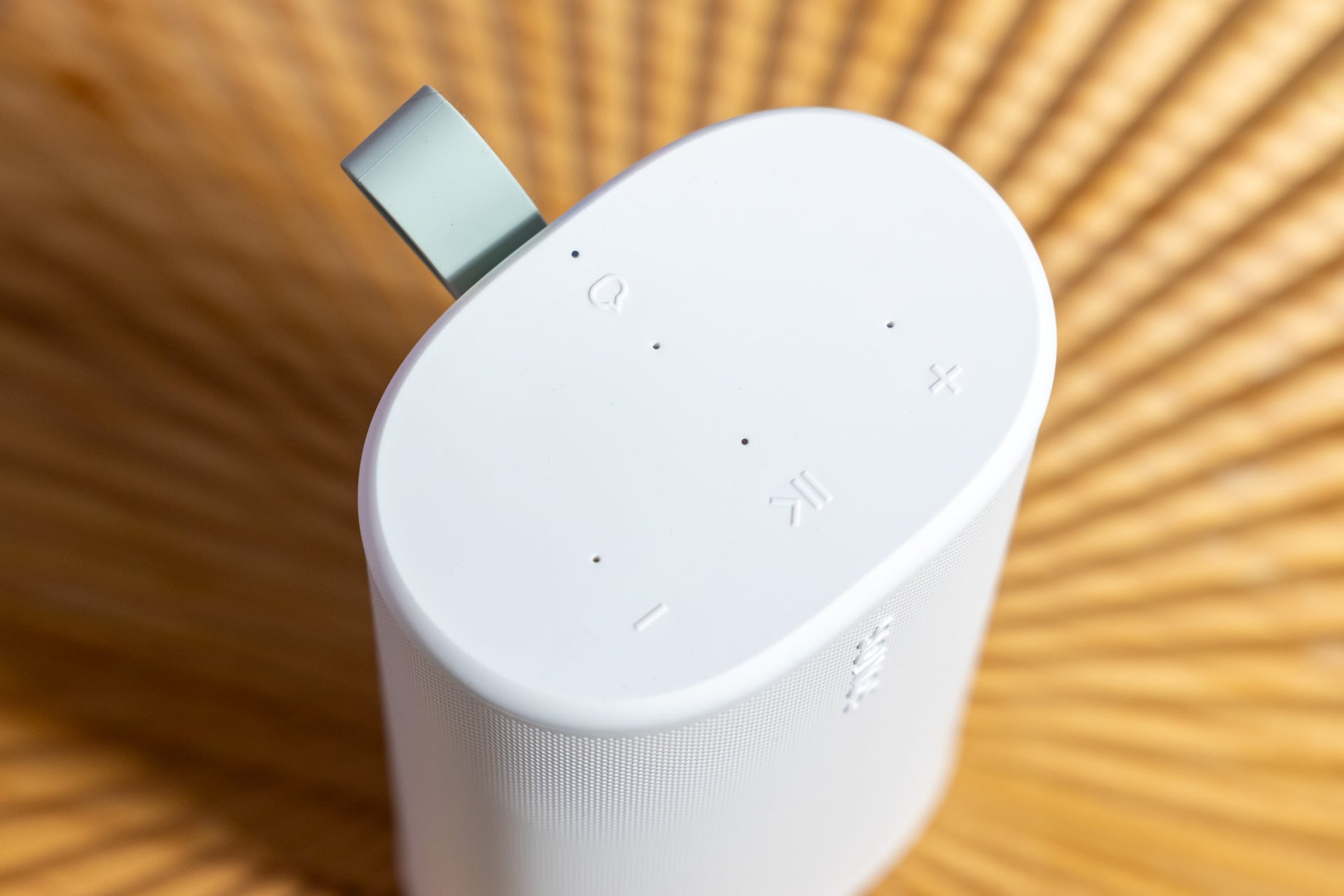
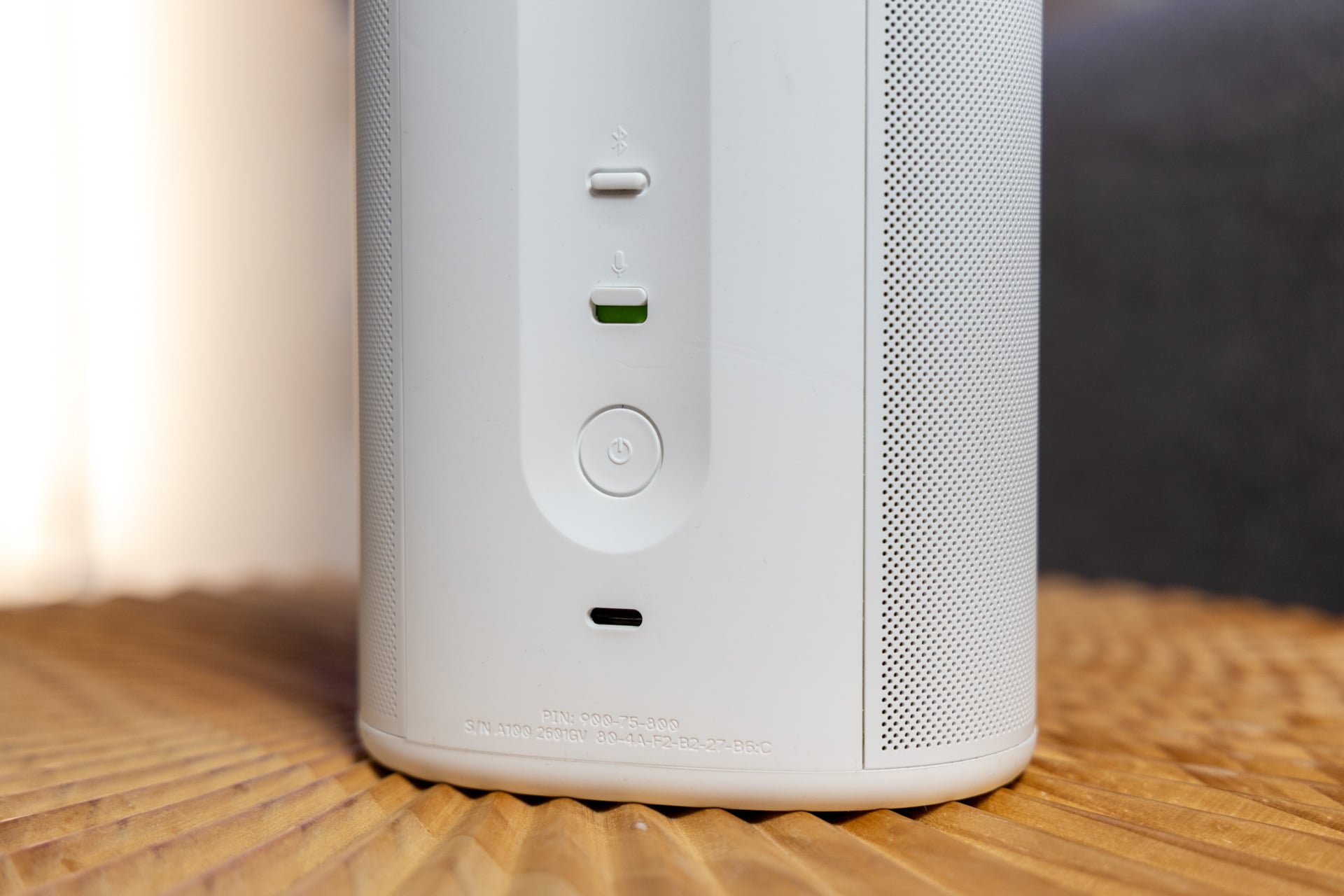
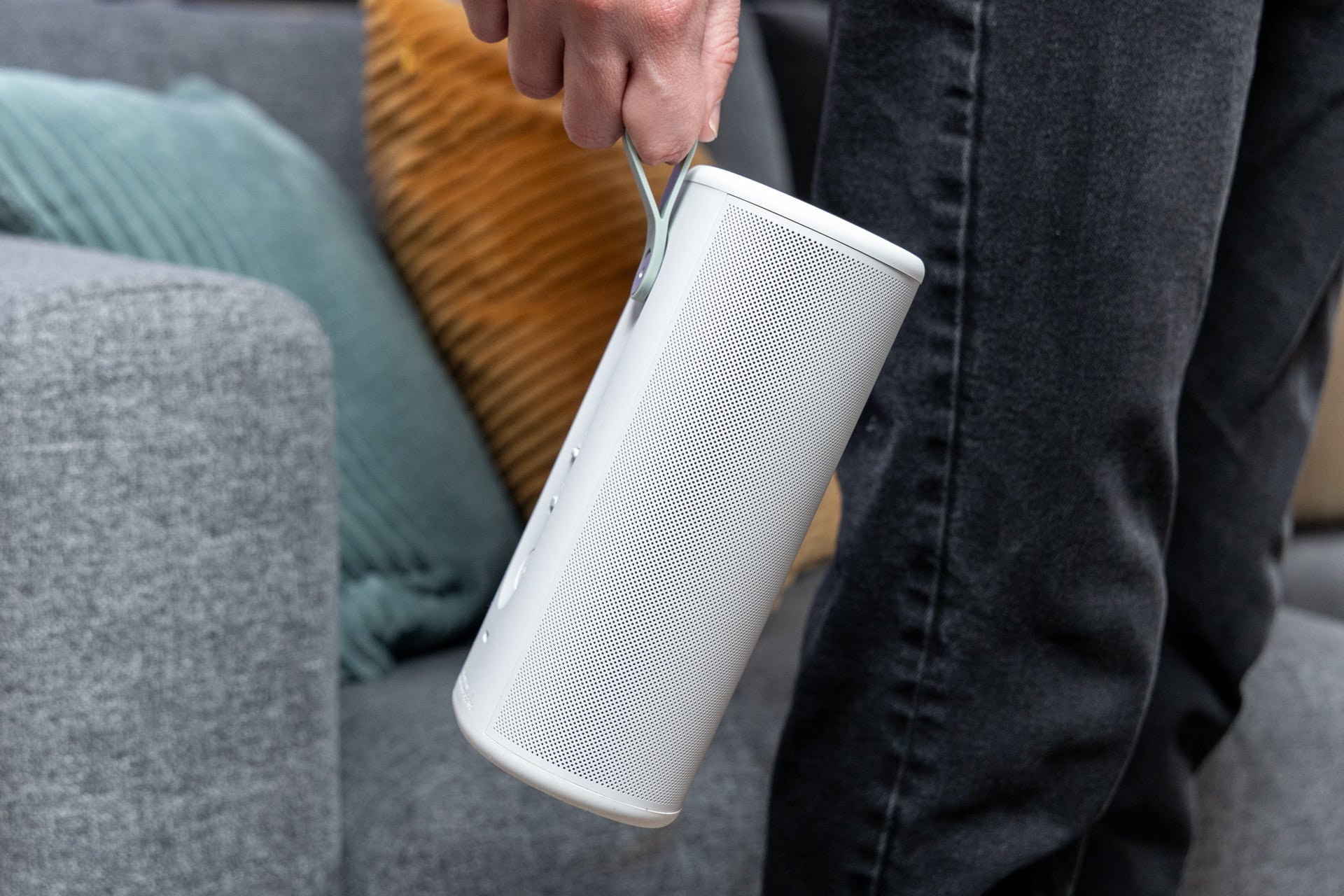
There isn’t much going on in terms of buttons, which is fine. On the top, there are plus and minus buttons for volume control as well as a play/pause button in the middle and a button to activate the voice assistant. On the back, there’s a hard switch to turn the microphone on and off and a power button. There’s also a USB-C port for charging and wired audio, though you’ll need an adapter if you’re using a 3.5mm line-in. If you’re carrying the Play around, there’s also a small loop attached that’s big enough to fit a finger or two into—I’m a big fan of the pastel mint-color accent, which is also on the bottom of the Play.
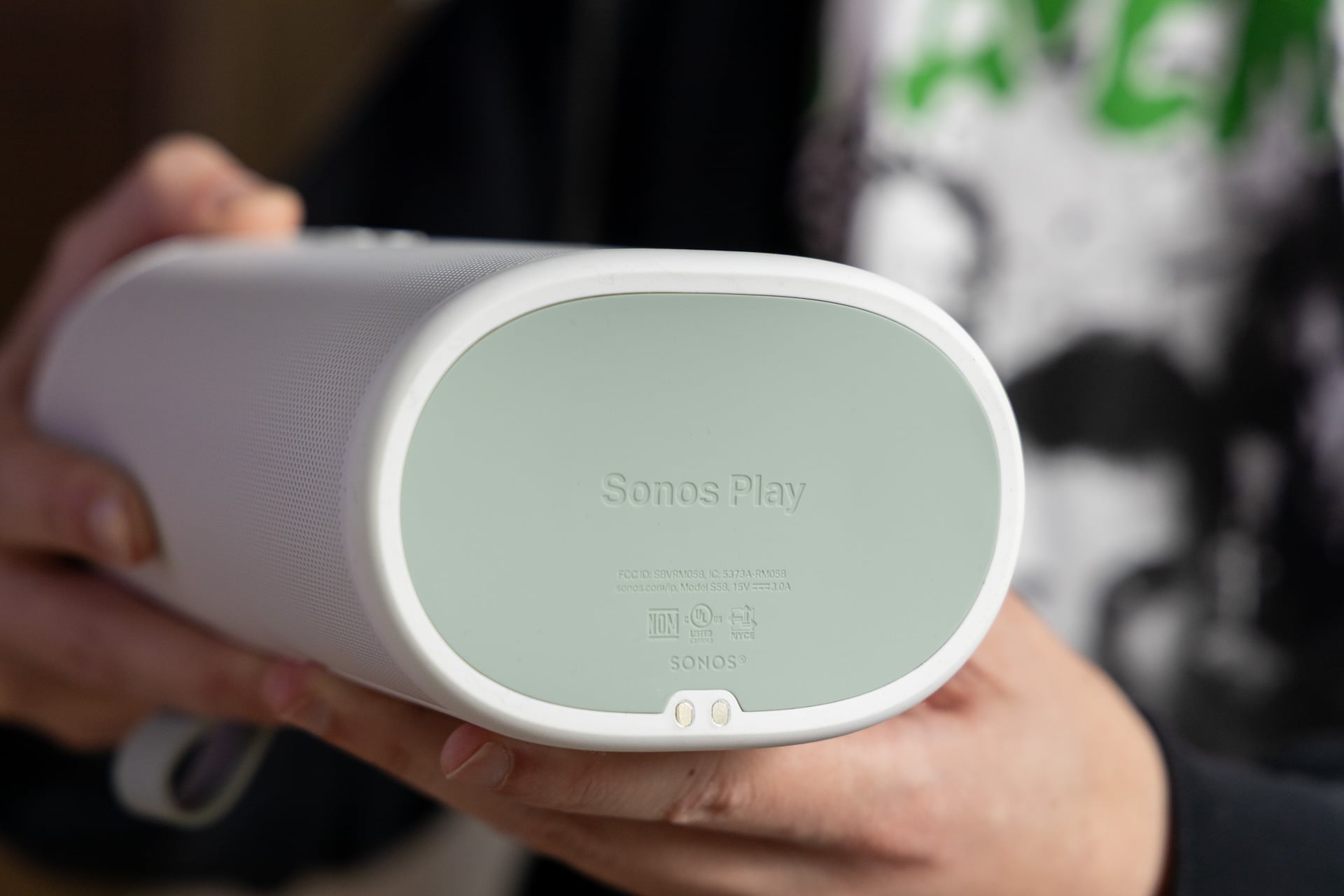
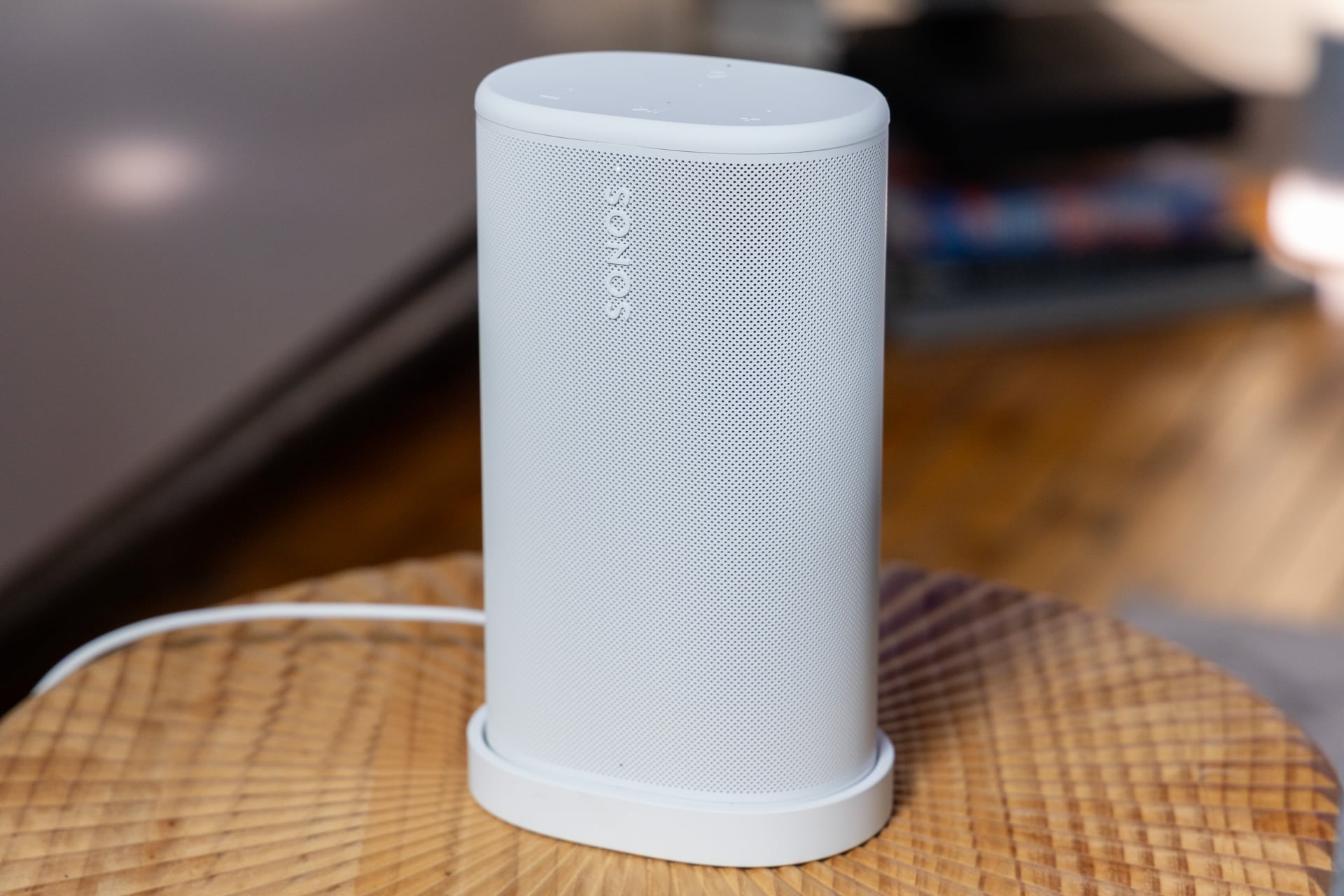
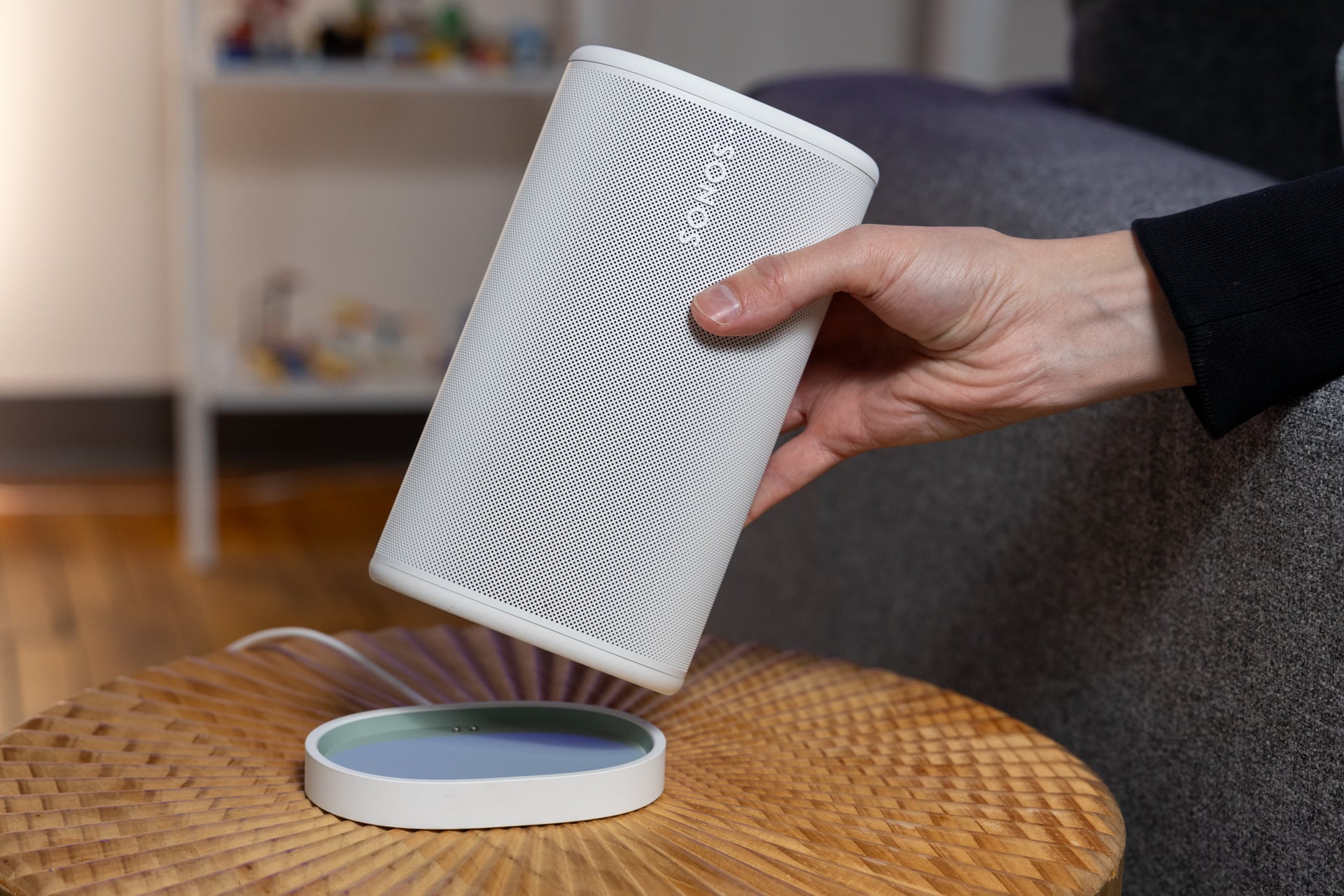
The only other piece of hardware that comes with the Sonos Play is a charging dock that has a wired USB-C connection. You don’t have to use it, but if you want a home base for the play, it’s nice to have. Plus, it’ll ensure your speaker is topped up when you need it. I personally like the vibe of the Sonos Play, and while I like the color of the Bose SoundLink Plus that I tested a few months ago, I can see these speakers fitting more easily into most people’s home decor.
As for battery, Sonos advertises 24 hours of battery life, which is pretty good, and tracks in my testing. After about an hour of using the Play at about 30% volume via Bluetooth, the speaker went from 40% battery to about 30%. For reference, Bose’s SoundLink Plus speaker gets about 20 hours of battery life, so the two may be fairly comparable. It’s worth noting here that Sonos has also made the Play’s battery replaceable, so in the event that you find your battery degraded or unusable, you won’t have to buy a whole new speaker.
If you’re going to bring this speaker out into the world, you’ll be happy to know that it is IP67 rated, which means that it’s fully dustproof and waterproof and can be sumbered in up to 1 meter of water for 30 minutes.
Should you press Play?
Expensive or not, the Sonos Play sounds great, and it sounds even better when it’s paired with another Play. If you’re looking to build out a sound system at home, the Play is an expensive way to do so—you could buy the wired Sonos Era 100 or the new Era 100 SL for more than $100 less. But if you’re looking for a hybrid speaker that plays well at home and can come with you to the beach, the park, or wherever you need to play music outside, the Play is a good option to do so, and with all the other benefits of having a Wi-Fi speaker setup, Sonos still has an edge over dedicated Bluetooth speakers like Bose’s SoundLink Plus.
If you’ve got money to throw around and you’re ready to invest in what Sonos is putting down, the Play feels like a perfect starting point.
First Appeared on
Source link





Leave feedback about this