

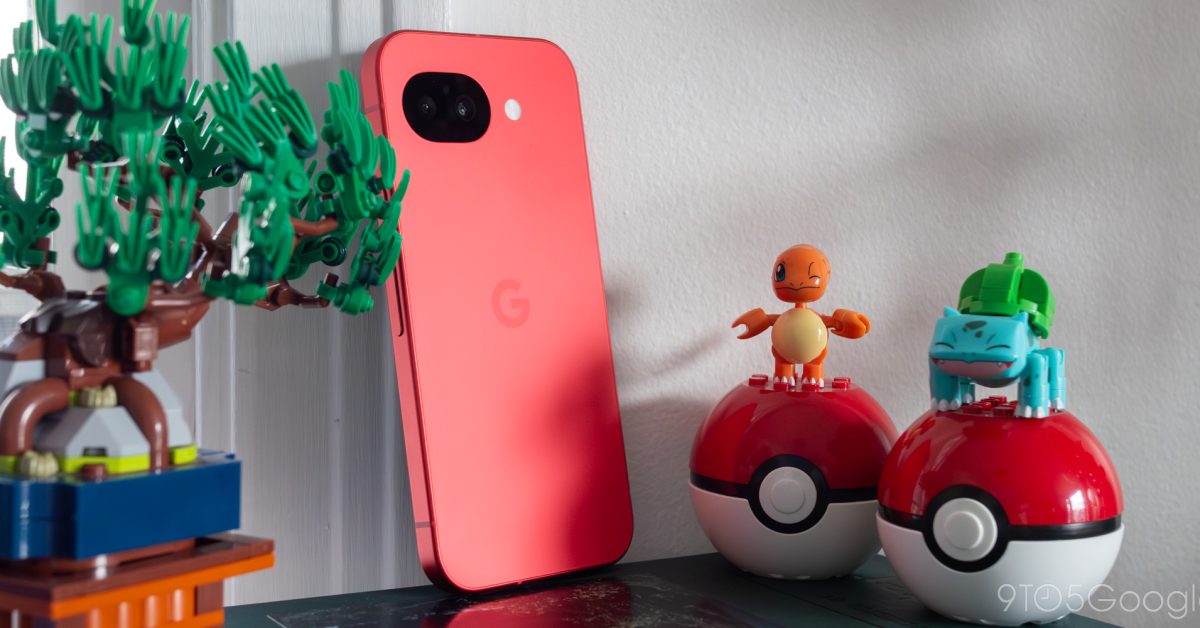
Trying to review the Pixel 10a feels like trying to bridge two completely separate narratives into one cohesive story.
The first tale tells the story of the best $500 smartphone I’ve personally used. It’s a device built for the phones-as-commodities landscape we live in today. It’s everything you need and very little you don’t, and I think the vast majority of shoppers would find it to live up to every inch of its potential.
The second tale, however, is practically an indictment on the entire industry, a borderline-cynical play by Google to avoid skipping an A-series generation through one of the most bare minimum upgrades we’ve ever seen. On some level, this device exists to please carriers and to refresh the discount track that every Pixel lives through during its lifecycle. If consumers end up enjoying the Pixel 10a in spite of all this, it’s a happy coincidence.
Reviewing this phone is an attempt to marry these two worlds together, one for the audience that will actually buy it, and one for the enthusiasts that are likely reading these words right now. Wherever you land on that spectrum is bound to determine your first impression — and likely, your final verdict — of the Pixel 10a. But make no mistake: no amount of cynicism can bring me to write this phone off entirely.
Hardware and design
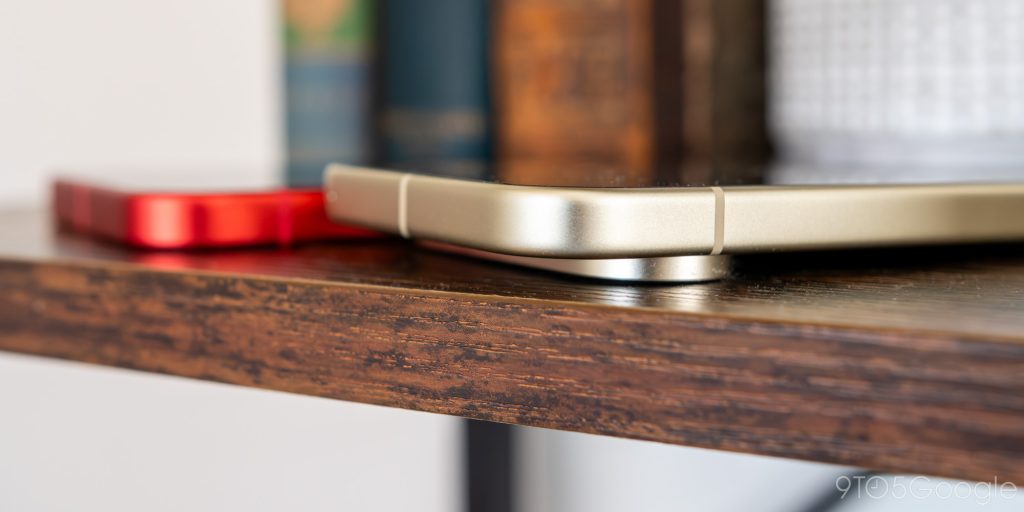
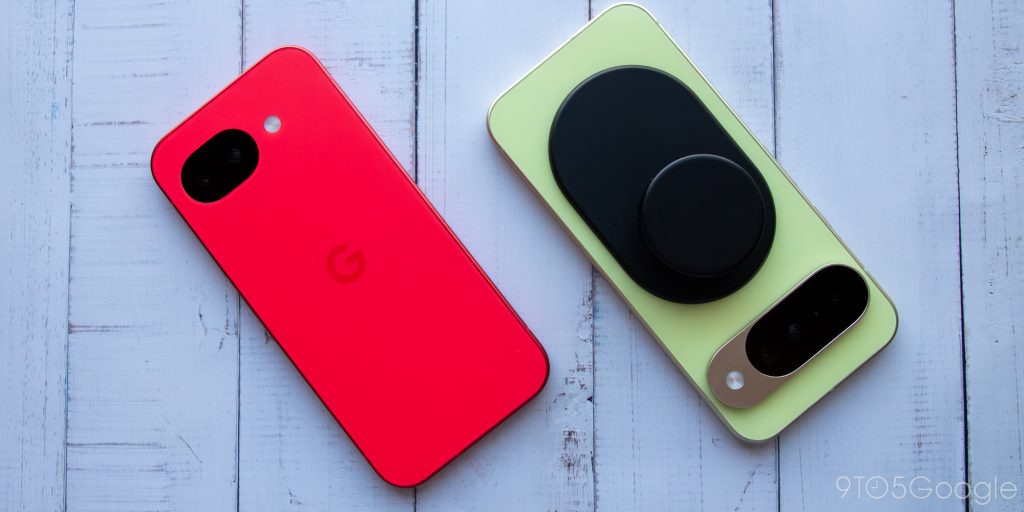
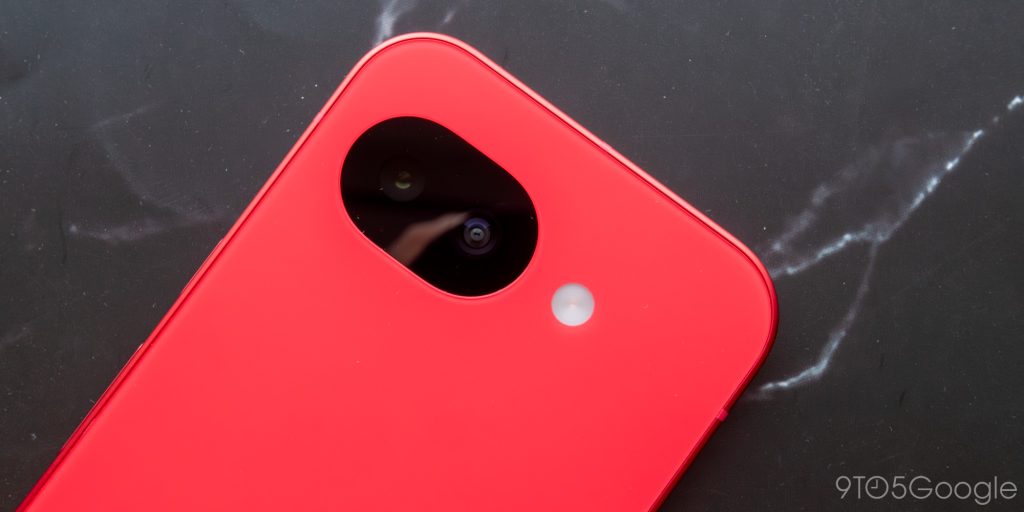
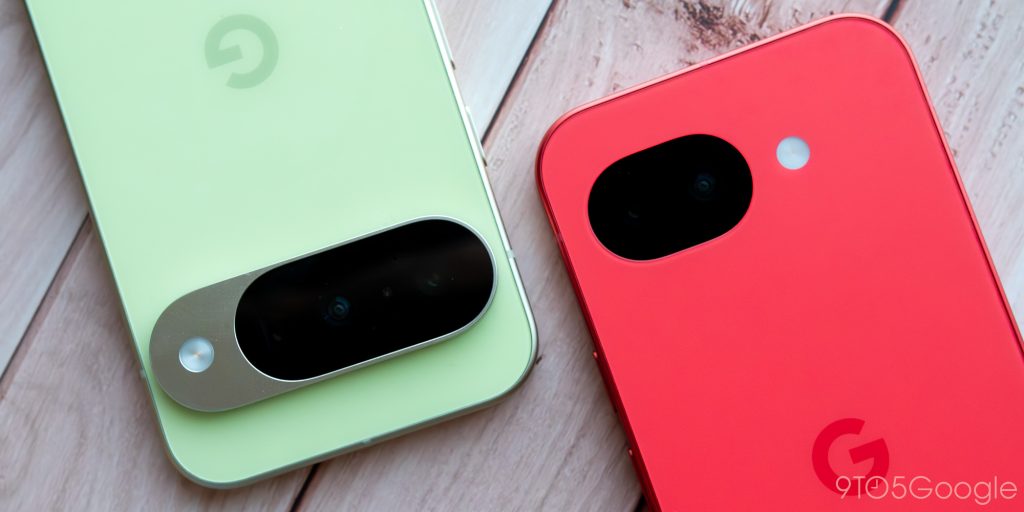
I already loved the Pixel 9a’s design, so naturally, I’m a big fan of the Pixel 10a’s as well. Google’s dropped the border surrounding the camera in exchange for a minimal increase to its thickness, and I think the trade-off was totally worth it. While its camera bar design has allowed nearly all of Google’s Tensor era to avoid rocking back and forth on a desk the way, say, practically all of Samsung’s phones do these days — including its own A-series — it’s still an elevated platform that makes the chassis feel chunkier than it is.
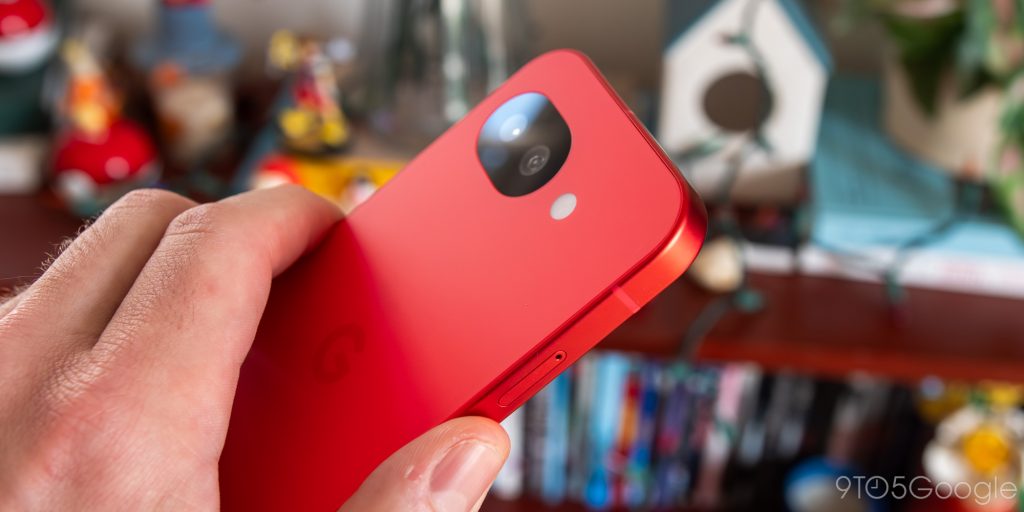
The Pixel 10a avoids this entirely. Its predecessor had just enough wobble thanks to its camera ring that using it on a desk was borderline frustrating, a problem that doesn’t exist this year. It’s reminiscent of smartphones from over a decade ago — more than once I’ve thought of Apple’s iPhone 4 design while using this device — and in a stagnant market, such a nostalgia play can go a long way towards feeling refreshing.
Speaking of nostalgia, Google’s new berry color feels like a callback to the red Nexus 5, a device that strikingly stood out among its peers way back in 2014. It’s not the exact shade of red — the Pixel 10a’s plastic back in particular has a lighter hue — but it still catches the eye like nothing else on the market. Not to get ahead of myself, but this color being this good makes it all the more frustrating for Google to launch this device without Pixelsnap. I just don’t want to cover it up with a case.
Otherwise, you’re looking at a nearly-unchanged design compared to last year. I continue to find it strange that A-series Pixels are the only entries with an all-matte design, something I hope Google finally embraces among its flagships this year. Its weight feels perfectly balanced compared to the company’s top-heavy flagships, and the bump-less design makes the device feel slimmer than its 9mm chassis would otherwise suggest.
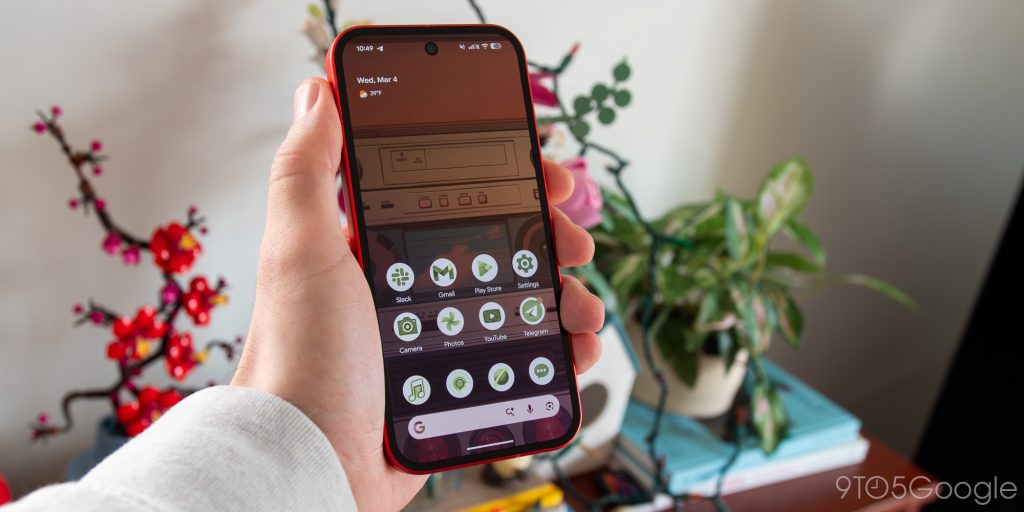
9to5Google’s Abner Li shared a bezel comparison between the Pixel 9a and 10a during his hands-on last month that convinced me Google’s 10% reduction in size wouldn’t be enough to make a difference, but in practice, I was wrong. Whatever fraction of display border was shaved off during the Pixel 10a’s development is just enough for my brain to stop noticing these bezels within an hour of swapping to the device; in comparison, it took a couple of days to adjust to the Pixel 9a.
If I hadn’t measured it myself, I’d actually think these bezels effectively matched the ones on the base Pixel 10 I’ve been using for the past six months. You’re looking at about a millimeter’s worth of difference, and even side-by-side, it’s difficult to tell without a ruler.
Display, specs, and performance
Just like last year, I have very few complaints regarding the display, outside of a rather aggressive auto-brightness mode that seemed to tamper down after the first few days. As best as I can tell, it’s a nearly identical panel to the Pixel 10’s in practically every measurable way, save for the glass panel that coats it. It even supports Adaptive Tone, a feature that only arrived back on Pixels with last year’s lineup following a brief one-and-done appearance on the Pixel 4.
Speaking of that glass coating, Gorilla Glass 7i might secretly be the best upgrade here over last year’s model, bringing both its protection and the feeling under your thumb closer to Google’s base model. Gorilla Glass 3 is an absolutely ancient technology, and I’m glad to see it finally replaced.
The story with the Pixel 10a is repetition, so you’ll be unsurprised to learn I have very little new to say about Tensor G4. I haven’t been a Tensor hater since the G2 days — and hoo boy, in retrospect, those were some bad days — and perhaps as a result, I’ve found raw performance here to be up to par with my expectations. The move to an Exynos 5400 modem brings satellite SOS support with it, and while I’m hesitant to chalk up any other improvements to a modem we’ve seen on other Pixels before, I will say, even on cellular, I haven’t had any random heating issues that used to plague the Pixel experience. Everything feels cool to the touch.
Otherwise, this is the Tensor G4 that we’ve known for over 18 months now. It’s not an exciting chipset choice, but with the price remaining at $500, it remains more than enough horsepower for all but the most demanding of users — most of whom, I’d assume, are opting to pick up a proper flagship anyway. If you’re looking for specs to be concerned over, I’d be more worried about being capped at just 8GB of RAM, though I can’t say I’ve noticed any memory issues on the Pixel 10a. File this under “potential future problems” during Google’s seven-year update cycle.
All of this sets the Pixel 10a up to be a minimal downgrade from Google’s base Pixel 10, but little differences can and will sneak up on you. The built-in speakers, for example, are significantly worse than the ones on the Pixel 10, a quality contrast that I’m able to notice even just by listening to podcasts. Likewise, Google’s (I would argue) class-leading haptics motor is missing here, replaced by something that gets the job done without ever managing to impress. And I’ve already blinded myself several times late at night with the optical fingerprint sensor. None of these are significant problems, necessarily, but they do add up to create that $300 price gap.
Software and battery
If there’s one space where I truly have very little to say, it’s the software. This is the same core Android 16 experience we’ve grown used to since its launch last summer, albeit with a couple of Pixel Drops under its belt, but I just don’t have much new to say about it. Most of the AI tools Google has released for its flagships over the past several years are here, with some notable exceptions, including Magic Cue and Pixel Screenshots. Whether that’s enough to constitute a deal-breaker is up to you, but personally, I found this AI-lite build a little refreshing.
In fact, depending on which of Google’s tools you use, some buyers might be able to skip out on the company’s local AI models to gain back a chunk of valuable storage without feeling like they’re missing out. Google might be the king of mobile AI at the moment, but that doesn’t actually mean too much in 2026, especially when the most impressive tools usually require cloud processing. If all you’re looking for is a chatbot, Gemini is just a long-press of your power button away.
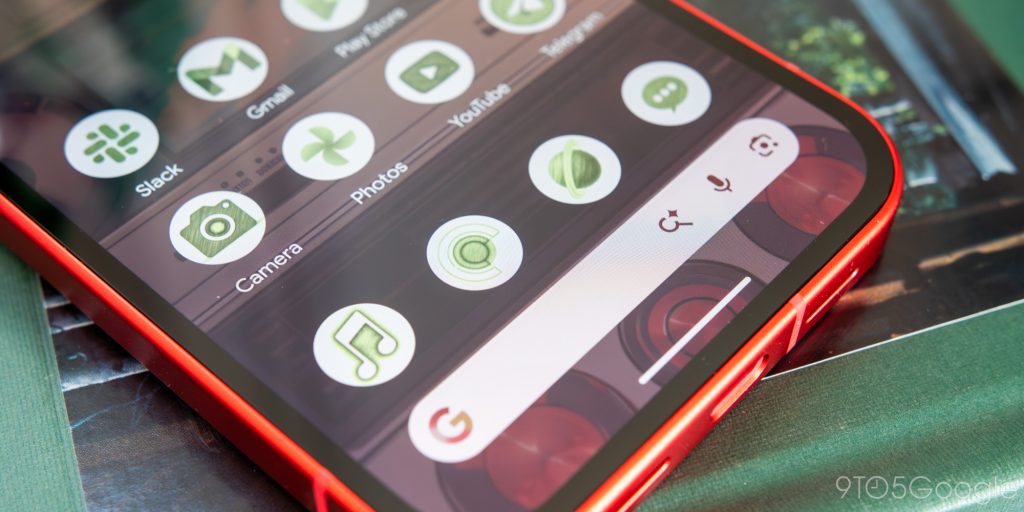
The Pixel 10a does, however, continue to cement Google’s take on its own operating system as the best on the market. Everything from the company’s perfectly-streamlined setup process to the look and feel of Material 3 Expressive is fantastic, though I am starting to grow a little concerned that AI might become too much of a central focus point. This phone is launching in the shadow of March’s Pixel Drop, an update that brings, among other improvements, custom icon support to Google’s launcher — but only if you use one of the five genAI themes available in settings. No thanks.
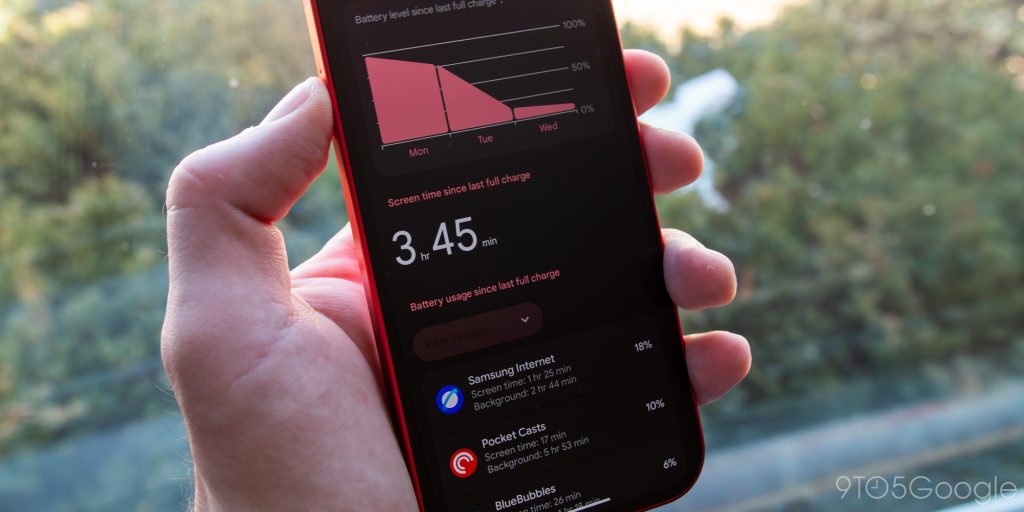
On the battery front, the Pixel 10a might not match the OnePlus 15’s raw longevity, but that doesn’t mean it can’t end up a champ anyway. I’m averaging more than a day on a single charge with my usual mixed workload, which includes various social apps, plenty of web browsing, some YouTube videos, and lots of podcasts frequently played through the built-in speakers (primarily, it should be said, on Wi-Fi). On even lighter days, I managed to squeeze two full days of use out of it, and I’d imagine all but the most dedicated of mobile gamers will get at least a full day’s worth of use off the charger.
In terms of raw battery life, the Pixel 10a managed to outperform my personal Pixel 10, but these metrics only tell part of the story. The lack of Pixelsnap support — or Qi2, if you’re being technical — is the biggest let down here by far. Honestly, Google should’ve found a way to get it here. Magnetic accessory support is one of the few features regular users and enthusiasts both care about, and while you’re certainly able to get the same experience here with the assist of a third-party case, I think that really ruins one of the best aspects of this phone’s design. Fingers crossed that Google follows Apple’s lead here and brings Qi2 to the next A-series phone.
As expected, charging speeds aren’t particularly speedy, so it’s probably a good thing the battery remains solid as a rock. Google rates it at 30W, promising about a 50% charge in 30 minutes, and that’s around what I’ve noticed in my own experience. Wireless is up to 10W from 7.5W, though I’ll be honest: without Pixelsnap, I can’t imagine throwing this thing on a wireless charger very often.
Camera
The Pixel 10a’s camera — which itself is unchanged from the 9a — is fine. In good lighting, it’s occasionally great, with that balanced (if HDR-soaked) look we’ve all grown used to by now. In subpar lighting, it’s often, well, subpar, especially if you’re zooming in on anything beyond 2x. The telephoto lens on the Pixel 10 might miss the mark compared to more premium flagships, but I’ve really come around to a new appreciation for it after my time with this cheaper alternative.
This still remains the best camera on a sub-$500 device, so long as you don’t count used smartphones, but doesn’t that feel like faint praise? Google managed to do some pretty amazing things with its processing for the first few Pixel generations, but since the start of this decade, I’ve had trouble seeing massive generational leaps. If computational photography is all that’s needed to make a so-so lens perform outside of expectations, I would’ve liked to see cropped images or photos set in darker environments look better than what we saw back in 2021 or 2022. But like much of the North American smartphone market, Google seems happy to rest on its laurels.
When it comes to this camera system, it’s actually a little difficult to figure out if my complaints are Pixel 10a-specific or if they really apply to Pixel as a whole. This device continues to suffer from Google’s fear of saturated colors and deep shadows, a problem compounded by Buffalo’s never-ending winter. I haven’t been editing my photos in post on this particular device because I’m reviewing it, but it’s a habit I’ve had to build into my workflow on my regular Pixel 10, and I really wish I didn’t feel the need to. I mean, for goodness’ sake, Google, stop making my cat look so blonde — from his fur to his behavior, he’s orange inside and out.
The Pixel 10a is great, even if it’s not exciting
So despite how cynical this phone feels, despite a near-complete lack of improvements, can I still stand up and recommend the Pixel 10a? Of course I can. I have very little to say that is negative about this phone, outside of it committing the cardinal tech reviewer sin of a product being boring. If you’re looking for a well-rounded, jack-of-all-trades device that delivers solid performance, excellent battery life, and a decent camera all packed into a genuinely great design, this is it.
Of course, any time I’ve recommended an A-series Pixel in the past, the conversation inevitably turns to pricing. Look — I can’t predict what sales you’ll find on older Pixel 9, 9a, or 10 hardware that would preempt choosing this phone, but by all means, if you see any of those options on sale, you can and should probably pick those over the 10a. The Pixel 10 delivers across-the-board upgrades, especially in regards to that telephoto lens, the processor, and Pixelsnap, while the Pixel 9 and 9a deliver similar experiences to this phone that you might be able to find at closeout prices.
But that’s not how most people are going to shop for this phone. Whether you score it for free (or heavily-discounted) on a 36-month carrier plan, you scoop it up on a steep discount during Prime Day, or you pay the full $500 MSRP, you’re still getting a well-rounded experience that, based on my own time with this device, I can’t imagine anyone finding massive faults with.
The Pixel 10a might be split between an exceptional mid-range device and trying to please the armchair critics that aren’t actually interested in buying this phone. More broadly, a non-insignificant portion of this phone’s existence is built around avoiding bad optics from the industry and community that incorrectly believe Google is not committed to smartphones, even a decade after the launch of the first Pixel.
At the end of the day, the modern Pixel lineup is best summed up with a simple mantra: keep calm and carry on. Pick the device that offers your wallet the best combination of performance and value, and I think you’ll be happy. That sense of excitement that peppered the smartphone landscape for its first decade-and-change might be gone, but it’s been replaced with reliability. And I’lll take that every day of the week.
Where to buy the Pixel 10a:


FTC: We use income earning auto affiliate links. More.

First Appeared on
Source link






Leave feedback about this