

If you’ve ever opened an AI chatbot, asked a question, and gotten a confident answer that still didn’t move the work forward, you already understand the gap Gemini 3.1 Pro is trying to close.
Google’s Gemini 3.1 Pro is positioned as its most advanced model for complex tasks, with a big emphasis on reasoning, long-context comprehension and “agentic” workflows. This latest model truly behaves more like a coworker that can plan and execute multi-step work, especially when you give it structured instructions.
It’s also genuinely built for scale: the official model card lists support for text, images, audio and video, plus a context window up to 1 million tokens (enough to feed it huge documents, transcripts, or even large codebases in one go).
Here are 7 of the best prompts I’ve written to make the most of the model to help boost productivity.
Prompt: “I’m uploading a document. Find every mention of [topic]. Tell me where it appears and why it matters. Then give me a simple timeline of what happened.”
Use this when you have a massive PDF, transcript or report and you need precise retrieval across the entire thing. Gemini 3.1 Pro is explicitly built for long context (up to 1M tokens) and multimodal inputs.
By giving the model constraints (what it must not do, what it must label as unknown) and asking for checks and self-critique you are giving the model an opportunity to split the work into phases, which significantly cuts down on hallucinations.
For this prompt example, I uploaded Artificial Intelligence and the Future of Teaching and Learning.
2. Logic stress test

Prompt: “I need to figure out how to handle this situation: [describe problem].
Tell me what could go wrong, how to prevent it and a cheaper backup plan.”
This is a classic “smart model” test highlighting the way the model can reason through trade-offs without turning into vague consultant-speak. Gemini 3.1 Pro is specifically positioned for tasks where a simple answer isn’t enough, which is why the improved reasoning performance can be seen with prompts like this. Try this one when you’re planning an event, moving houses or coordinating travel.
3. Code architect
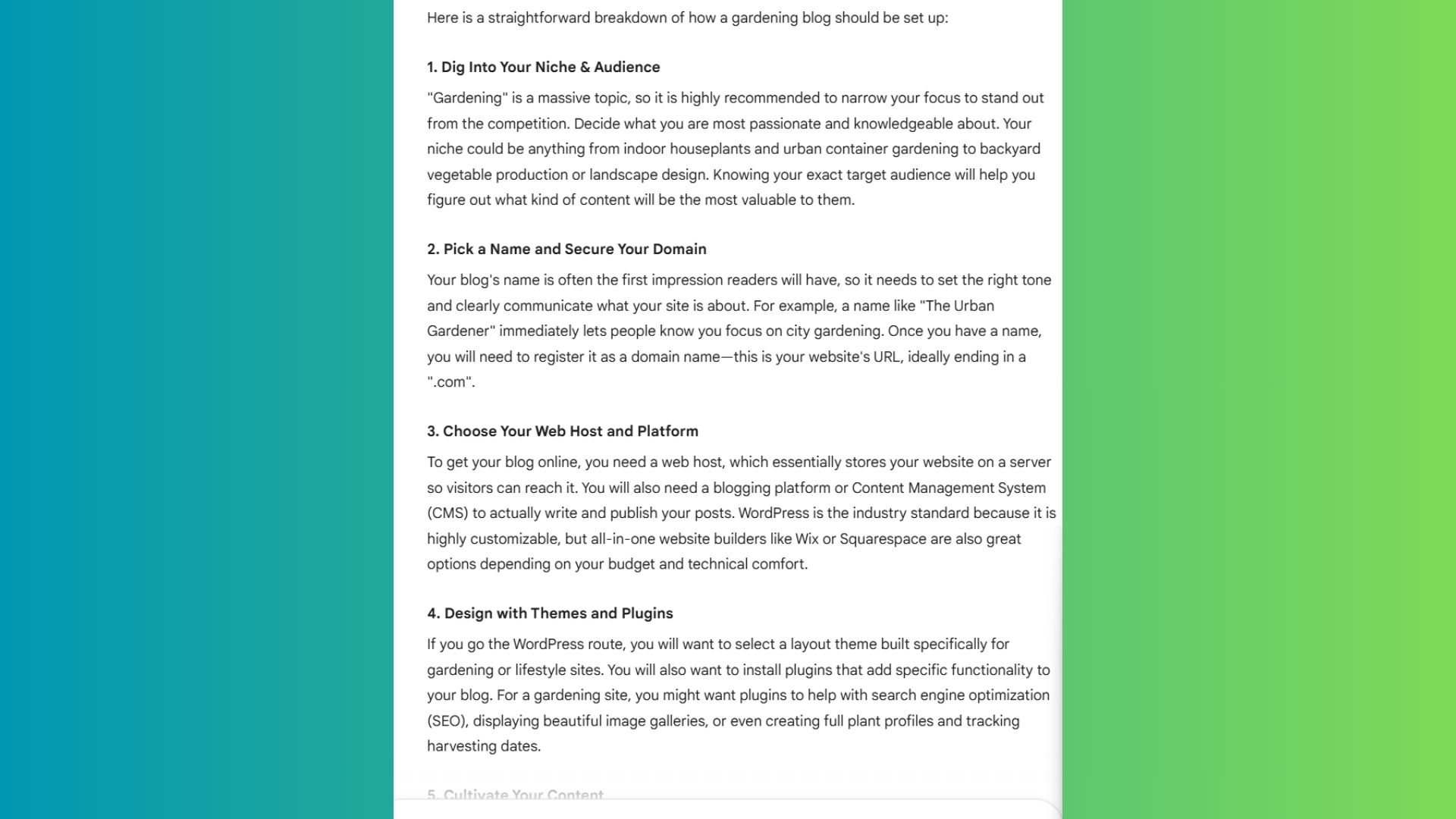
Prompt: “I want to build this: [describe project]. First explain how it should be set up. Then help me start the first step.”
Whether you are a skilled developer or just starting to vibe code to upskill at work, Gemini 3.1 Pro can handle even the toughest coding tasks. Google’s developer docs explicitly call out improvements in software engineering behavior and agentic workflows for Gemini 3.1 Pro, which mean improved capabilities for launching a website, starting a side hustle or automating work tasks.
4. Getting unstuck fast
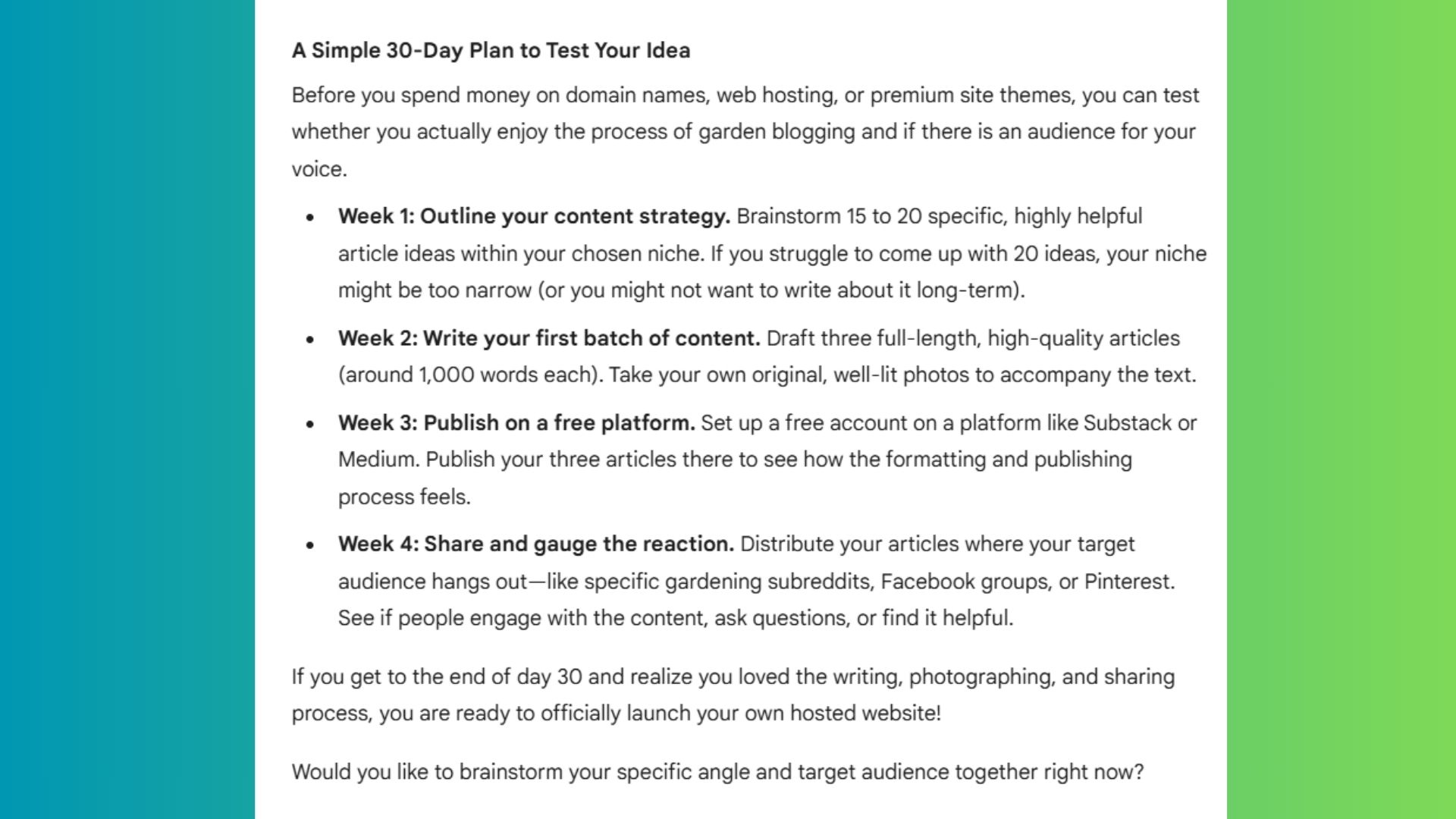
Prompt: “I’m thinking about doing this: [idea]. Give me one reason it might fail and one question I must answer before moving forward. Then suggest a simple plan to test it in 30 days.”
This is one of my favorite ways to gain insight because it forces the model to argue with itself from different roles, then synthesize. This prompt can be tweaked and reused for a variety of professional purposes, but the main idea is how well the model can handle multiple steps and provide meaningful output.
5. Contextual video analyst

Prompt: Watch this video and tell me: what the speaker is saying, what their body language suggests, where the message and body language don’t match
If you’ve ever thought about getting into forensics or just want to dive deeper into a video, Gemini is here for both. This prompt is useful for analyzing webinars, interviews, keynotes or long-form tutorials.
This type of proof really highlights Gemini’s multimodal capabilities aren’t just for simple prompts like, “describe this photo.” With this prompt, it can help you analyze communication, demos or presentations.
6. Synthetic data generator

Prompt: “Create a small sample list of customers for a [type of business].
Include realistic details and format into Google Sheets.
Synthetic data generation is where a lot of models slip: they add extra commentary, break schema or “helpfully” change requirements. Not Gemini; it will quickly output the data and respond with a complete Google Sheet. This prompt is great way to test CRM tools, practice data imports, build data or even try a new business idea.
7. Deep research synthesis
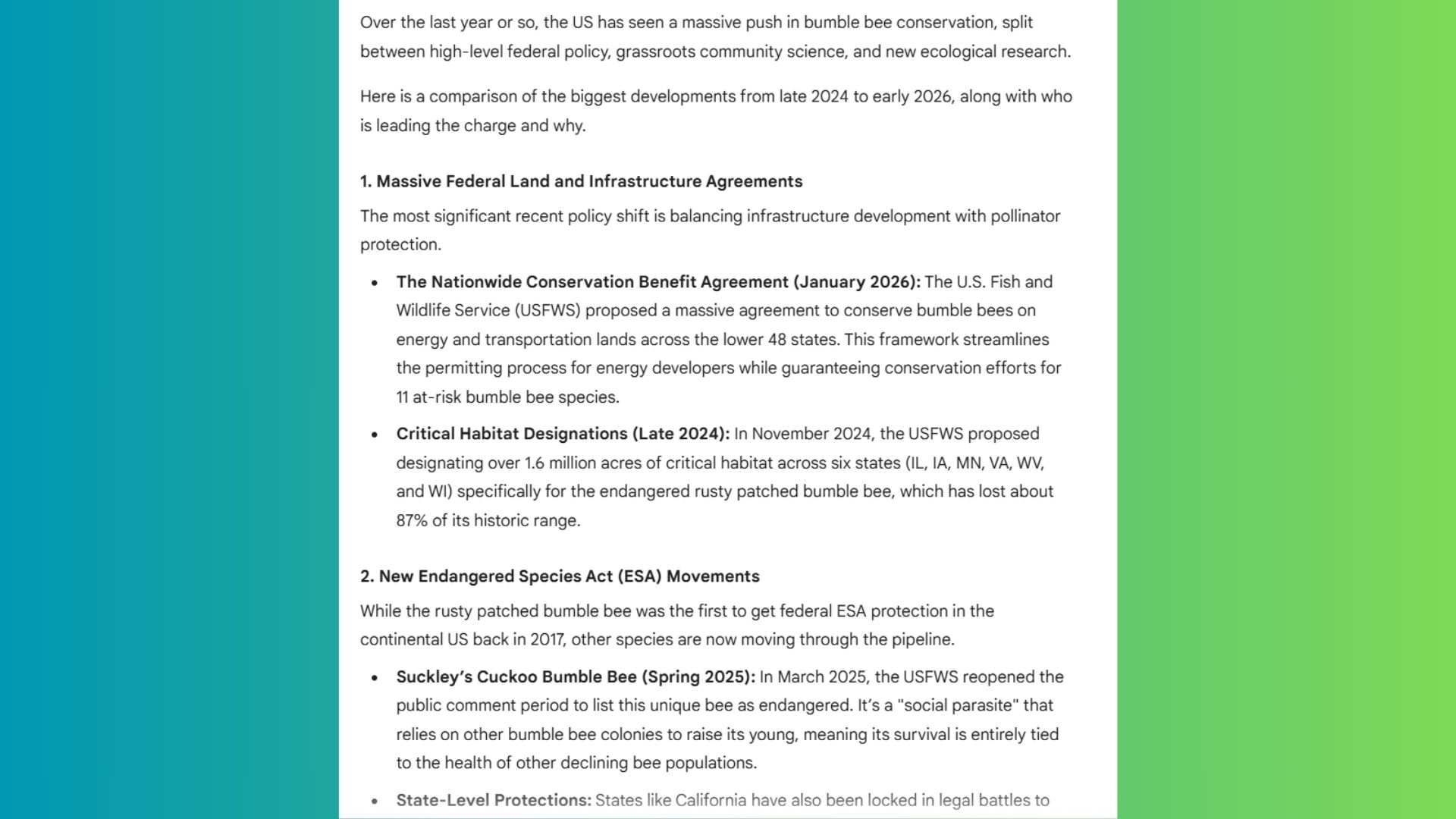
Prompt: “Find the latest updates about [topic]. Compare the biggest developments and explain who’s leading and why.”
This is the prompt style that turns a chatbot into a research assistant, especially when you explicitly require sources and comparisons. Google’s Gemini 3.1 Pro supports “search grounding,” which means ensuring the answers are accurate, current and verifiable. That’s exactly what you want when doing current events research with prompts like this.
The takeaway
Gemini 3.1 Pro does its best work when you give it substantial context and a clear definition of what you want. This is not the model for my nothing or blank line prompt.
Instead of asking for a paragraph, ask for something usable — a table, checklist, timeline or structured plan you can act on immediately. It’s particularly strong at multi-step reasoning and self-critique: you can ask it to identify risks, evaluate trade-offs or review its own recommendations, which is where many chatbots start to lose clarity or default to generic advice.
When you provide background, define the outcome you want and specify how the answer should be organized, you’ll notice a difference between output that’s merely helpful and output that genuinely moves the work forward. Feel free to tweak and adjust the above prompts for your own professional or personal needs.

Follow Tom’s Guide on Google News and add us as a preferred source to get our up-to-date news, analysis, and reviews in your feeds.
More from Tom’s Guide
First Appeared on
Source link






Leave feedback about this